'nuget' is not recognized but other nuget commands working
我正在尝试使用http://docs.nuget.org/docs/creating-packages/creating-and-publishing-a-package#From_a_convention_based_working_directory创建nuget包
作为参考。
我在Visual Studio中的Package Manger Console不允许我使用'nuget'命令。
我可以"获取帮助",它显示:
包括以下NuGet cmdlet。
1 2 3 4 5 6 7 8 9 10 11 12 13 14 15 16 17 18 19 20 21 22 23 | Cmdlet Description ------------------ ---------------------------------------------- Get-Package Gets the set of packages available from the package source. Install-Package Installs a package and its dependencies into the project. Uninstall-Package Uninstalls a package. If other packages depend on this package, the command will fail unless the –Force option is specified. Update-Package Updates a package and its dependencies to a newer version. Add-BindingRedirect Examines all assemblies within the output path for a project and adds binding redirects to the application (or web) configuration file where necessary. Get-Project Returns a reference to the DTE (Development Tools Environment) for the specified project. If none is specifed, returns the default project selected in the Package Manager Console. Open-PackagePage Open the browser pointing to ProjectUrl, LicenseUrl or ReportAbuseUrl of the specified package. Register-TabExpansion Registers a tab expansion for the parameters of a command. |
- 但是,每当我开始使用nuget命令时都会给出:
术语" nuget"不能识别为cmdlet,函数,脚本文件或可运行程序的名称。检查名称的拼写,或者是否包含路径,请验证路径是否正确,然后尝试
艾因。
在线:1字符:6
+ nuget <<<<
+ CategoryInfo:ObjectNotFound:(nuget:String)[],CommandNotFoundException
+ FullyQualifiedErrorId:CommandNotFoundException
我尝试了以下解决方案:
1>关闭所有项目并重新启动
2>卸载并重新安装
3>创建一个powershell配置文件(此文件以前不存在,实际上破坏了所有内容)
将Visual Studio 2012 Ultimate试用版升级为已注册后,该问题开始出现。我最初安装了VS 12 Pro。我不知道这是否与它有任何关系,但我注意到其他有类似问题的人都安装了10和12。
我的问题是"有人知道还有什么可以尝试的吗?"我的理论是nuget命令的路径丢失了,但是我找不到如何配置程序包管理器控制台使用的路径,而且我不确定cmdlet nuget的实际存储位置。
更新---尝试按照以下建议下载命令行工具。这导致没有任何工作。我尝试卸载,现在在nuget的vs2010扩展中有一个未启用安装或卸载按钮的项目。这使我相信,这与在2010年和2012年安装的扩展程序有关,这在我的小戏剧中很重要。如果有人也知道如何删除可卸载的扩展程序,也请告知,但我会尝试另一个问题。
Nuget.exe放在项目的
我要解决的步骤是:
- 从https://github.com/NuGet/NuGet.Client/releases下载NuGet.exe(优先选择最新版本);
-
将NuGet.exe放在
C:\Program Files (或您的VS版本)中;
uGet\Visual Studio 2012 -
在PATH环境变量
中添加C:\Program Files (或您的VS版本)(请参见http://www.itechtalk.com/thread3595.html作为方法)(此处的说明)。
uGet\Visual Studio 2012 - 关闭并打开Visual Studio。
更新
使用以下命令可以轻松地将NuGet安装在您的项目中:
Install-Package NuGet.CommandLine
有很多更好的方法可以做到这一点。
通过Chocolatey安装nuget-更好。安装Chocolatey:https://chocolatey.org/,然后运行
cinst Nuget.CommandLine
在命令提示符下。这将安装nuget和设置环境路径,因此nuget始终可用。
在
1 | Install-Package NuGet.CommandLine |
nuget命令行工具不随vsix文件一起提供,而是单独下载的
https://github.com/nuget/home
您也可以尝试将系统变量路径设置为nuget exe的位置,然后重新启动VS。
uGet\Visual Studio 2013
我会将其发布为对您的答案@done_merson的评论,但我没有做到这一点所需的声誉。
在Visual Studio中:
1 | Tools -> Nuget Package Manager -> Package Manager Console. |
在下午:
1 | Install-Package NuGet.CommandLine |
关闭Visual Studio,然后再次将其打开。
- 在解决方案资源管理器中右键单击您的项目。
- 选择管理解决方案的NuGet软件包。
-
通过Microsoft搜索NuGet.CommandLine并安装它。
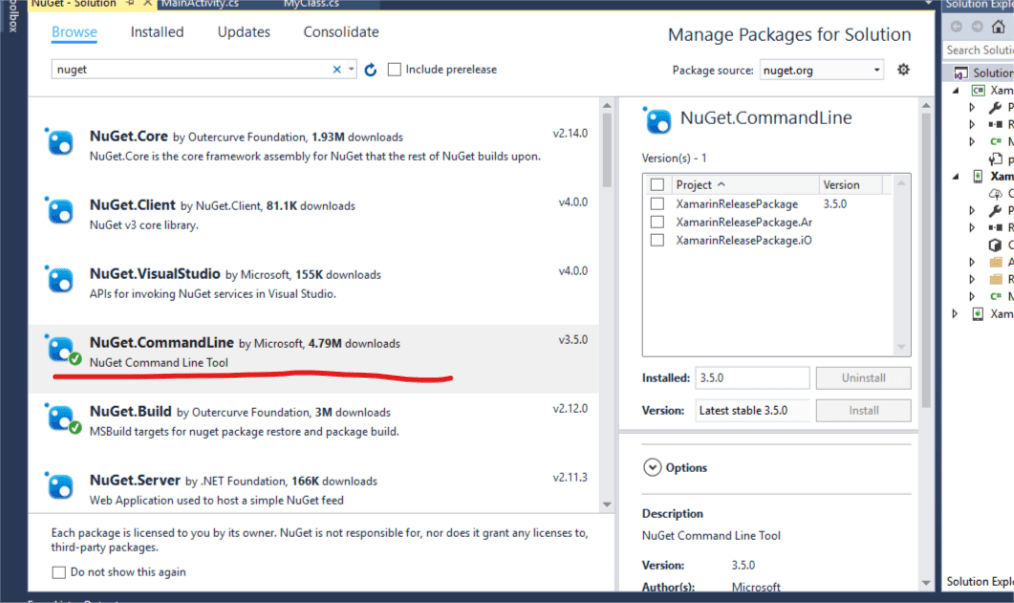
-
完成安装后,您将在以下位置找到一个名为packages的文件夹。
您的项目。转到解决方案资源管理器并寻找它。
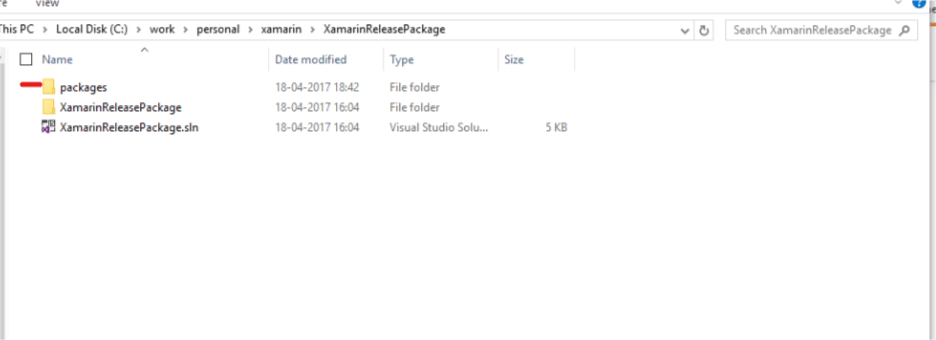
-
在包内查找名为NuGet.CommandLine.3.5.0的文件夹,此处3.5.0只是版本名称,您的文件夹名称将相应更改。
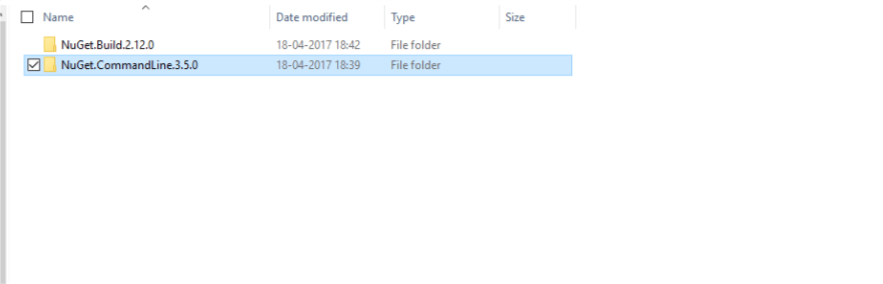
-
在NuGet.CommandLine.3.5.0中,查找名为tools的文件夹。
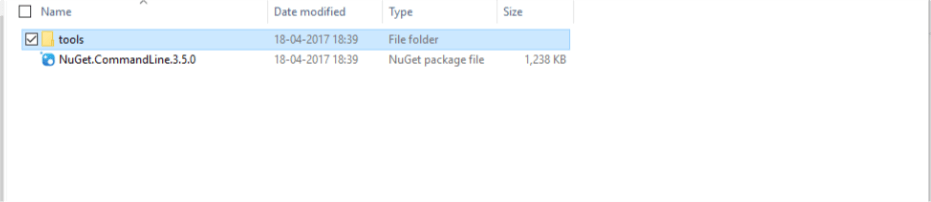
-
在内部工具中,您将获得nuget.exe
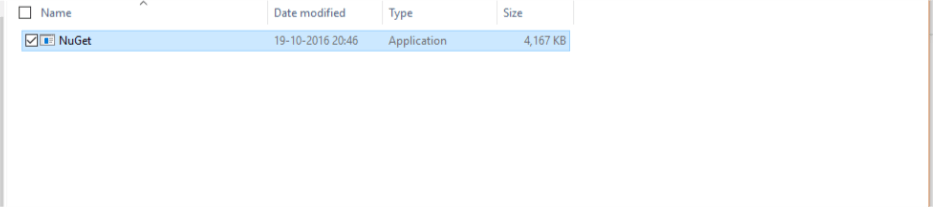
我通过找到nuget.exe并移至易于键入的路径(c: nuget nuget),然后使用此路径调用nuget来解决此问题。这似乎解决了问题。
程序包管理器控制台中的c: nuget nuget可以正常工作。
我试图找到控制台正在使用的路径并更改环境路径,但始终无法使其以这种方式工作。
从
这将使nuget可以从任何项目在全球范围内使用。